Control Hub AI Assistant
B2B/Generative AI
Product
Webex - Control Hub
Role
Product Designer
I led the evolution of Webex Control Hub’s AI Assistant from a simple help bot into a full conversational layer—adding threaded chats, Smart Search, and AI-powered report analysis—which boosted monthly usage by 120%, proving that thoughtful system-level design can directly drive efficiency and adoption.
Control hub
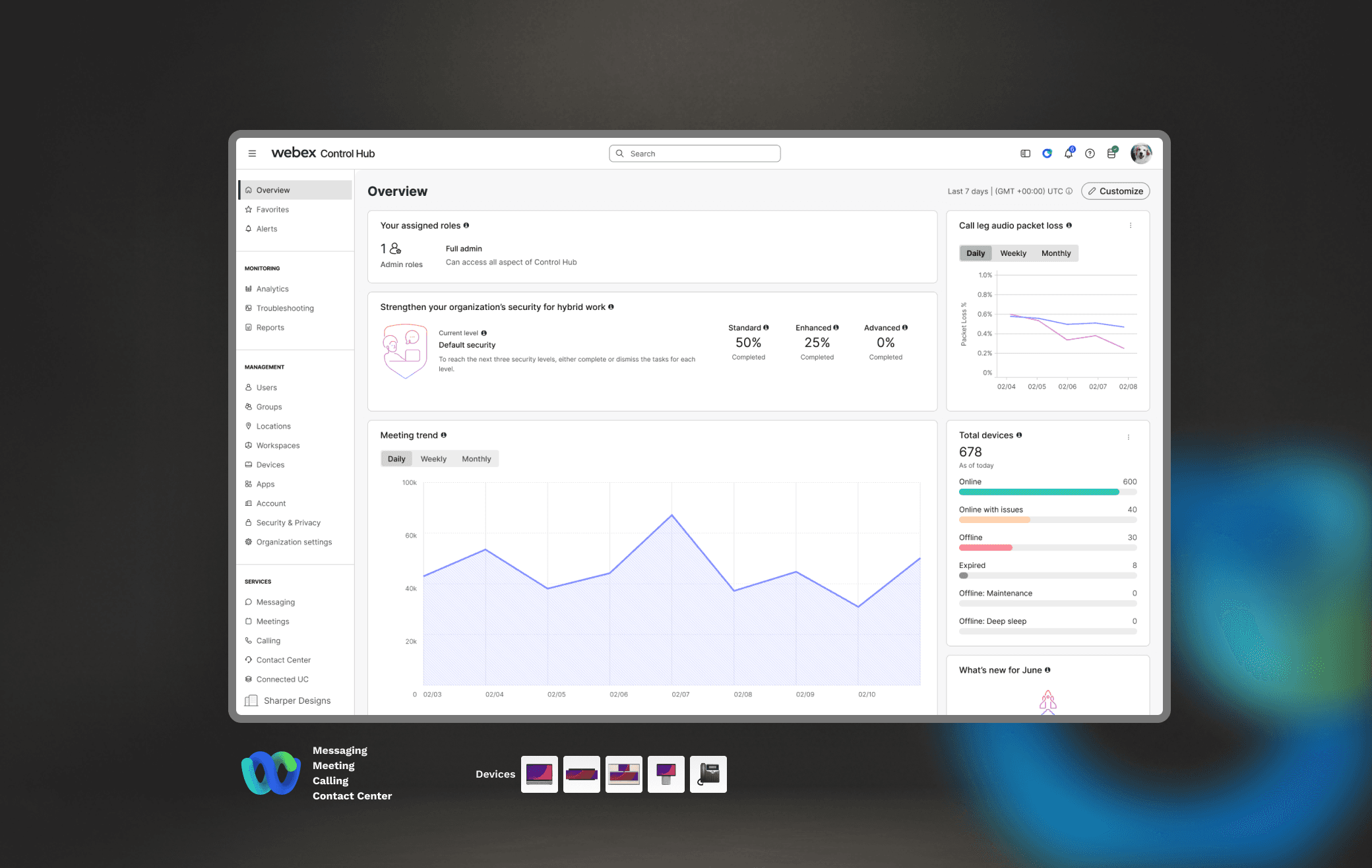
Webex Control Hub is the single pane of glass where IT administrators deploy, configure, and monitor the entire Webex Suite—Messaging, Meetings, Calling, and Contact Center.
In June 2024 the team introduced the first cut of the Control Hub AI Assistant (CHAI)—a help‑only chatbot.
Core design principle
Designing an AI assistant enterprise admins trust enough to act on.
Road Map
I joined just after that launch with a mandate to evolve CHAI into a strategic layer
This was not a standalone chatbot problem. CHAI had to work inside an enterprise system where users needed to move quickly, understand technical context, and trust what the assistant was doing before acting on it.
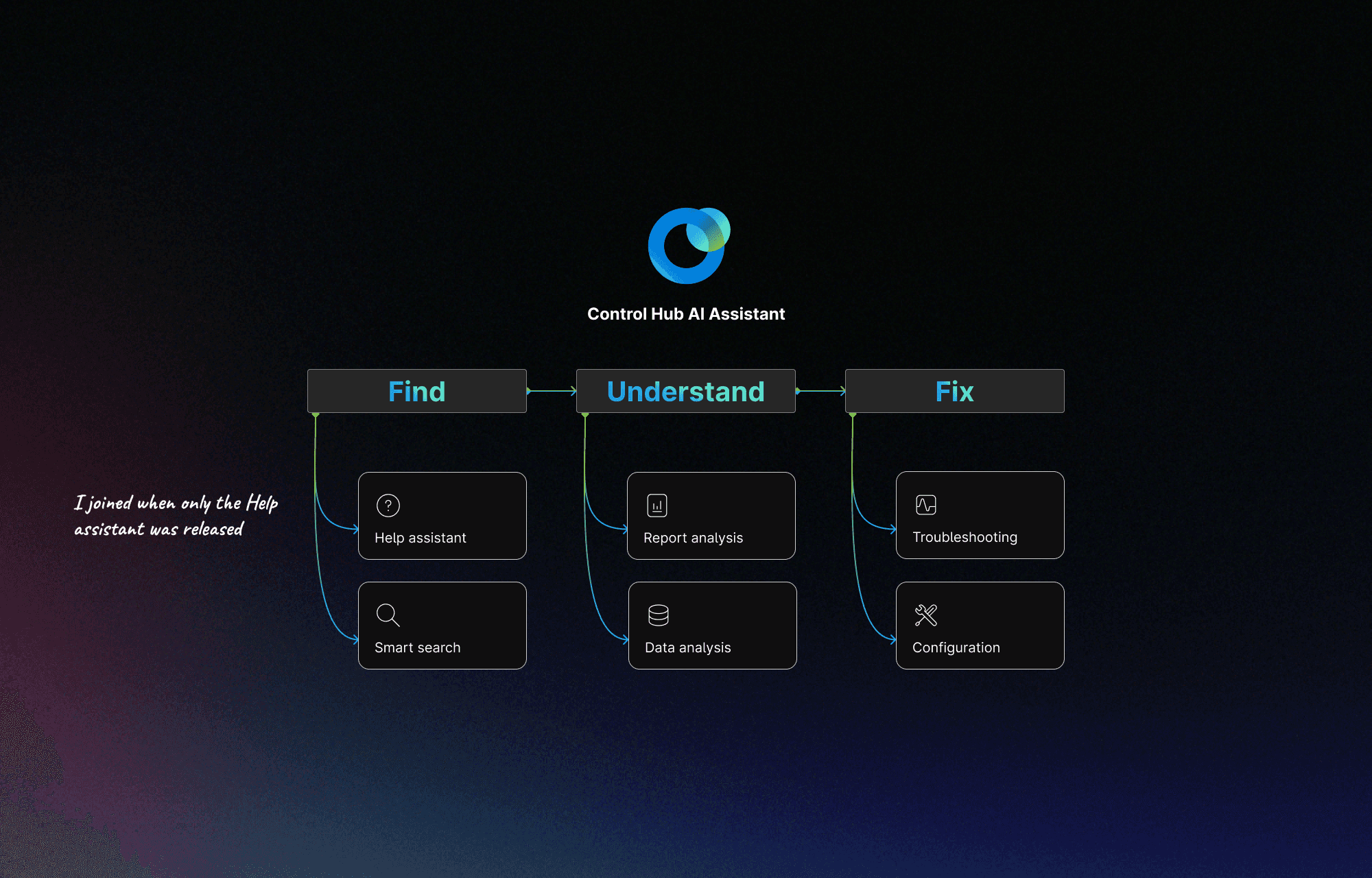
Evolution 1.0 → 2.0 → 3.0
From chatbot to structured assistant
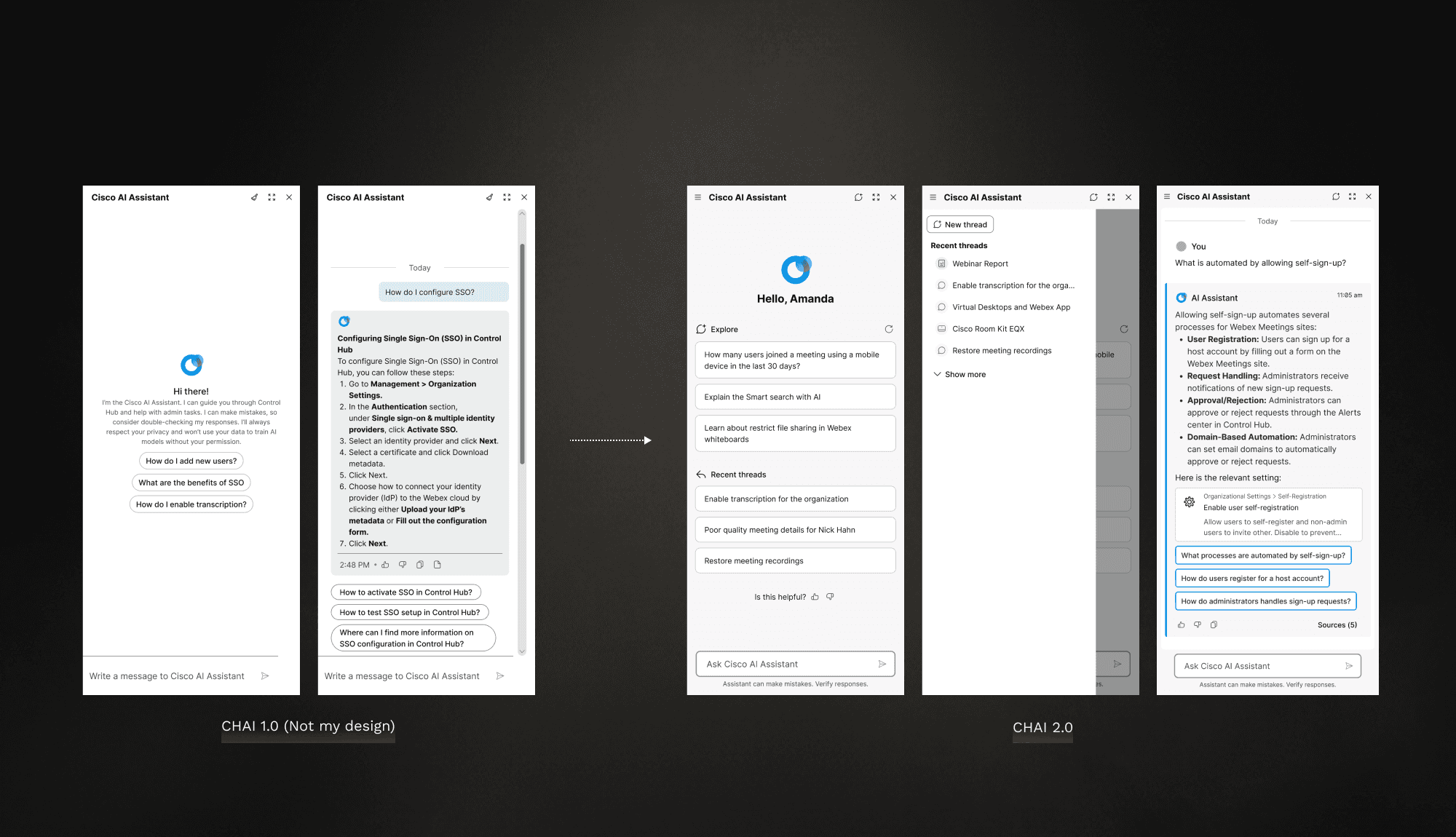
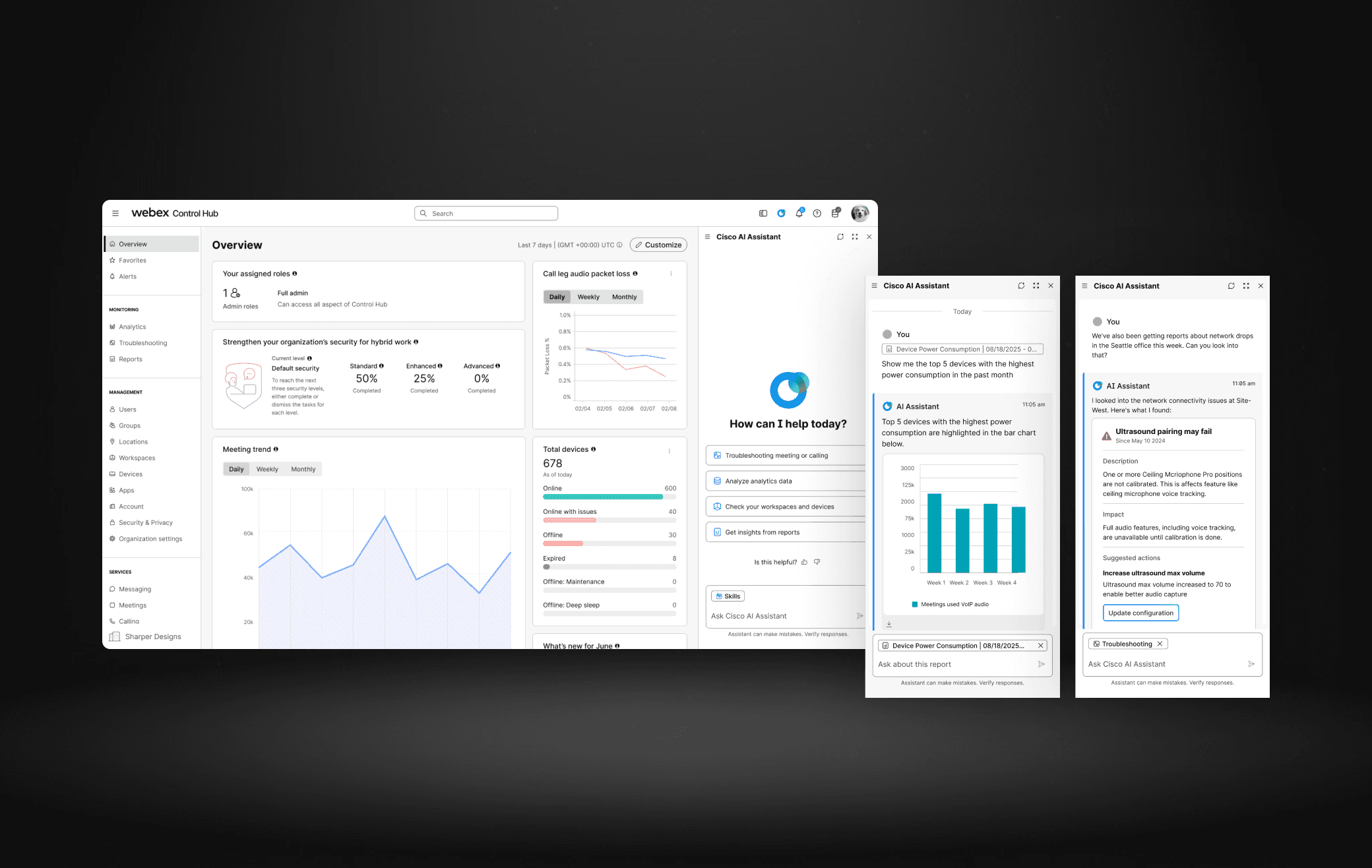
CHAI 1.0 was a lightweight Q&A assistant designed to answer direct admin questions.
CHAI 2.0 introduced threading and stronger prompts, which improved usability and made conversations more coherent over time.
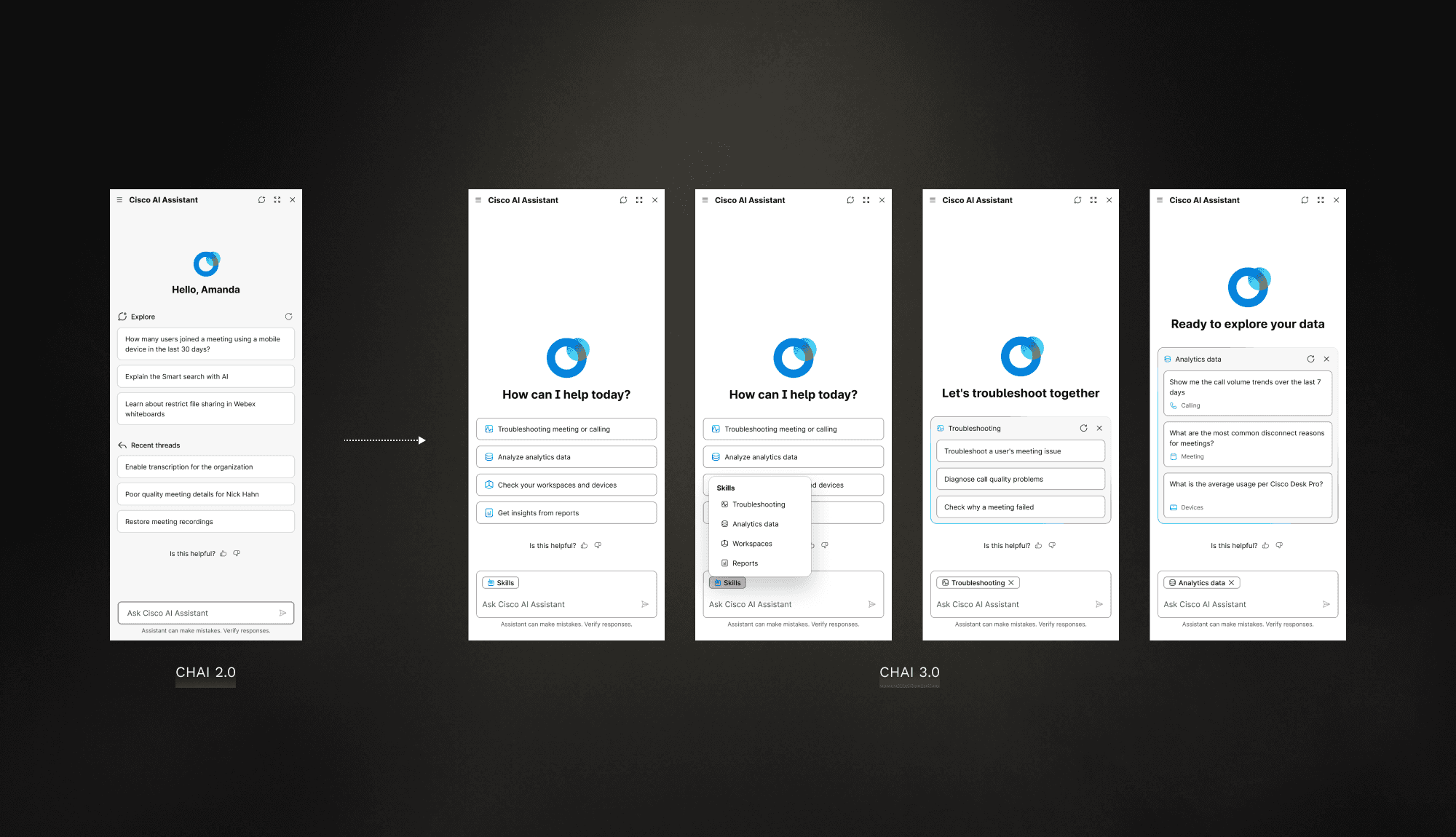
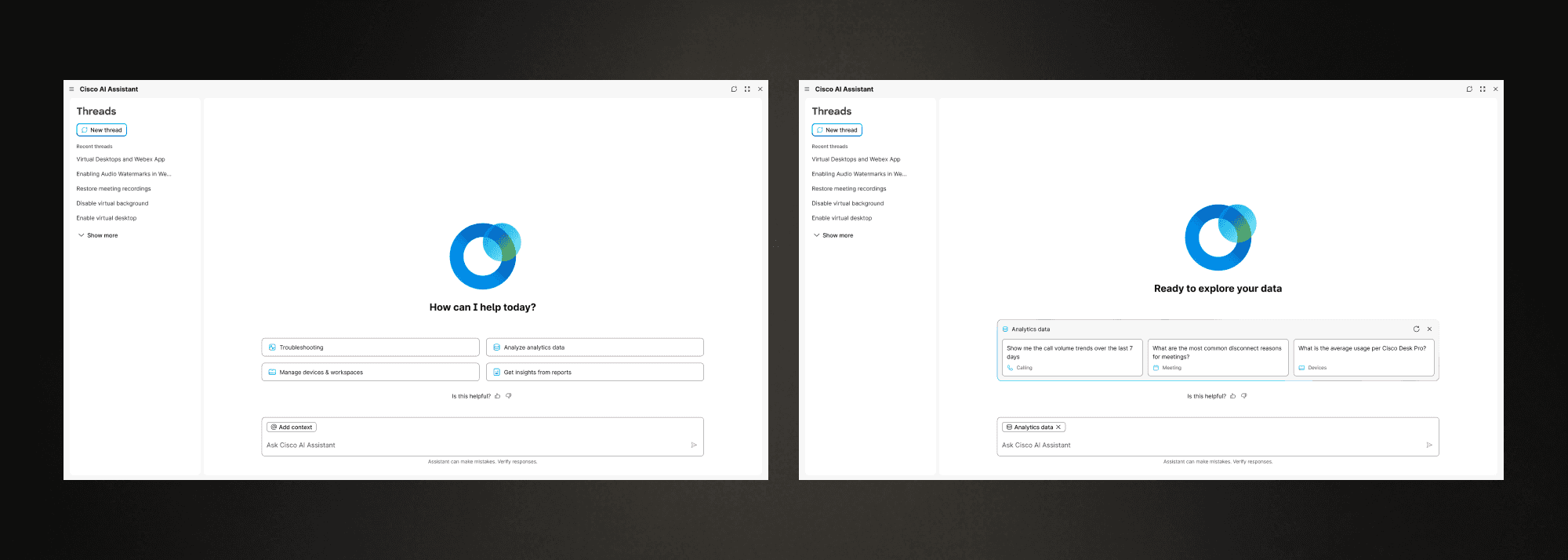
CHAI 3.0
a guided welcome experience for users who needed help getting started
skill-based entry points for faster navigation
a clearer prompt-to-conversation flow that made the assistant feel more directed and intentional

Contextual AI
Meet the users where they are
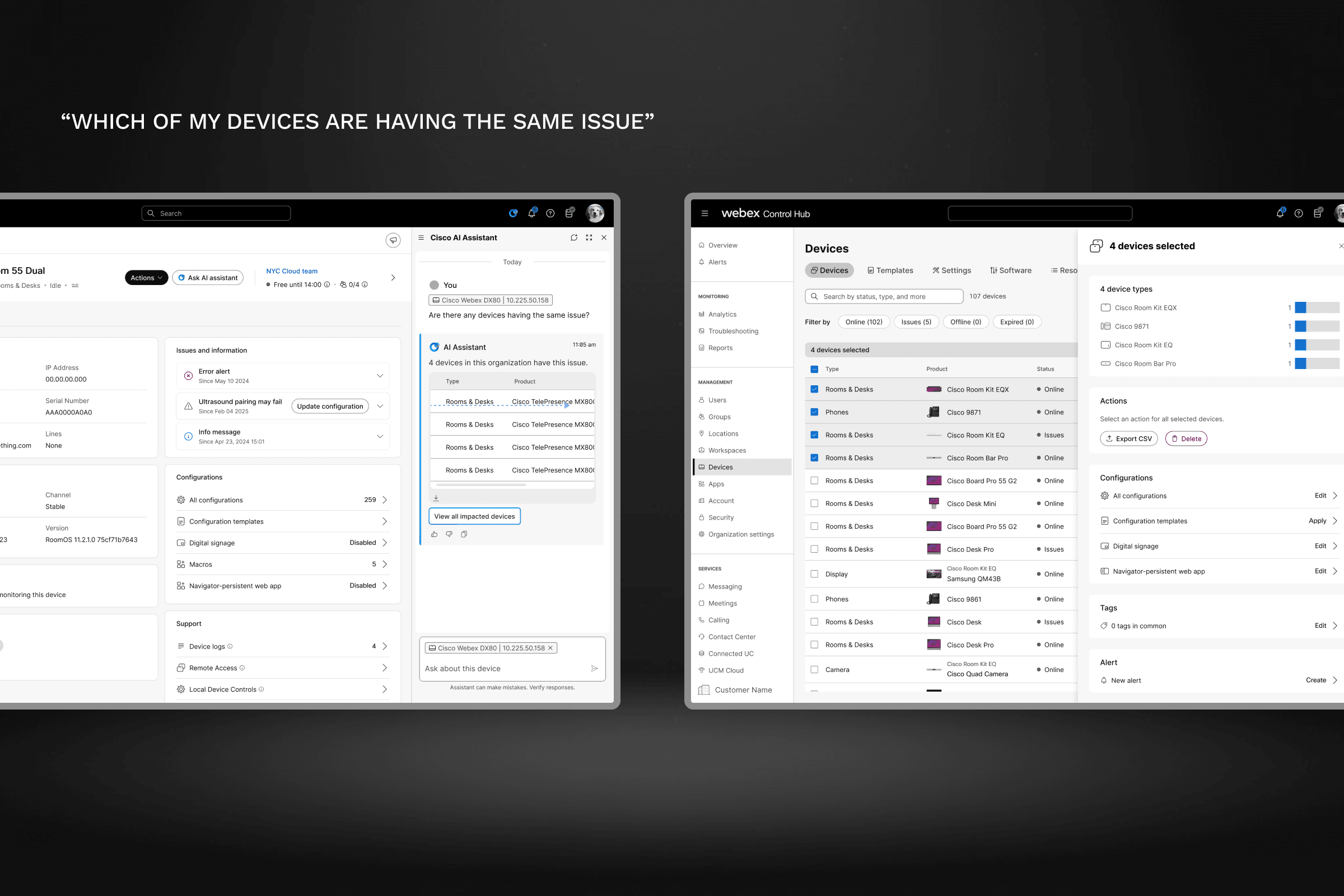
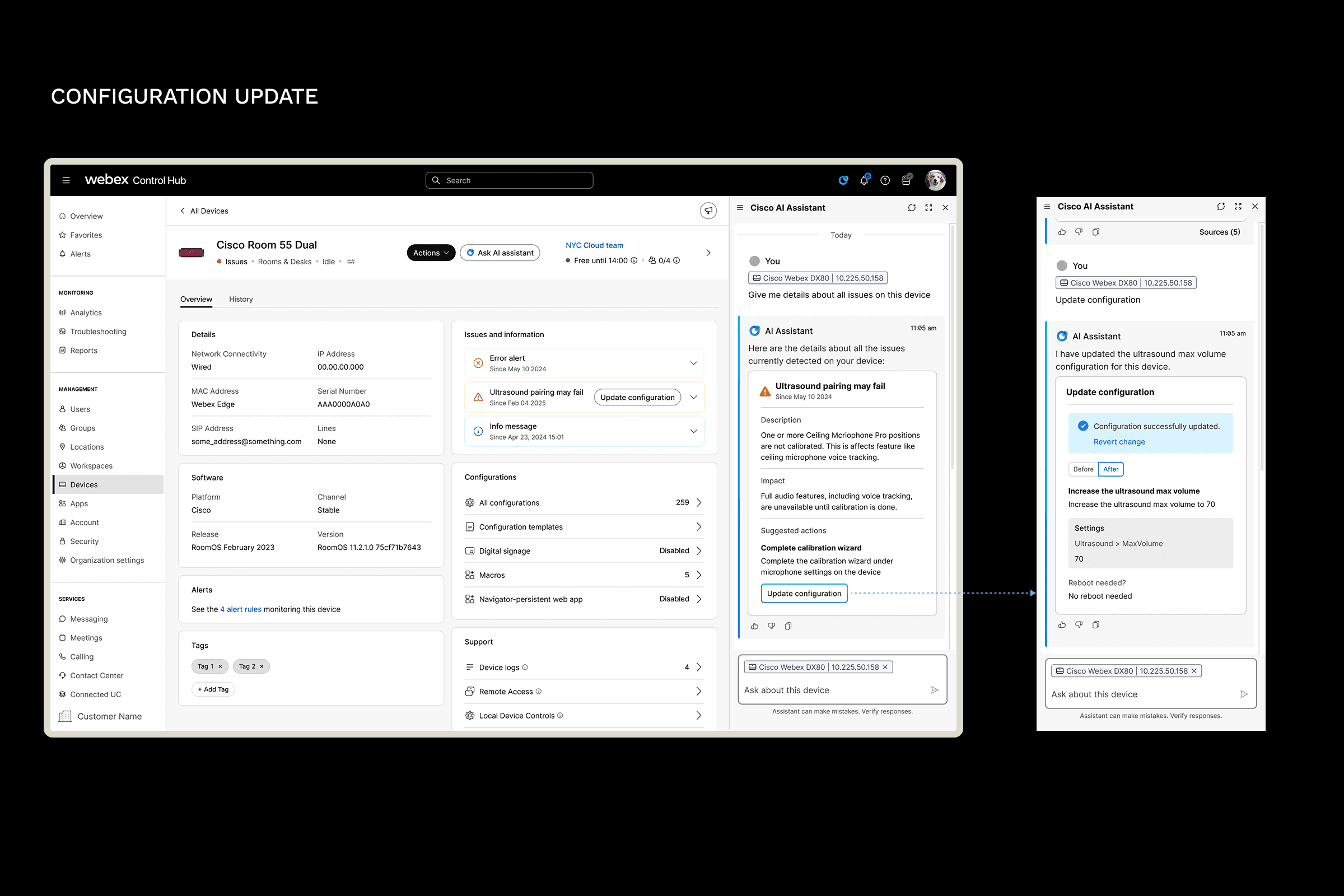
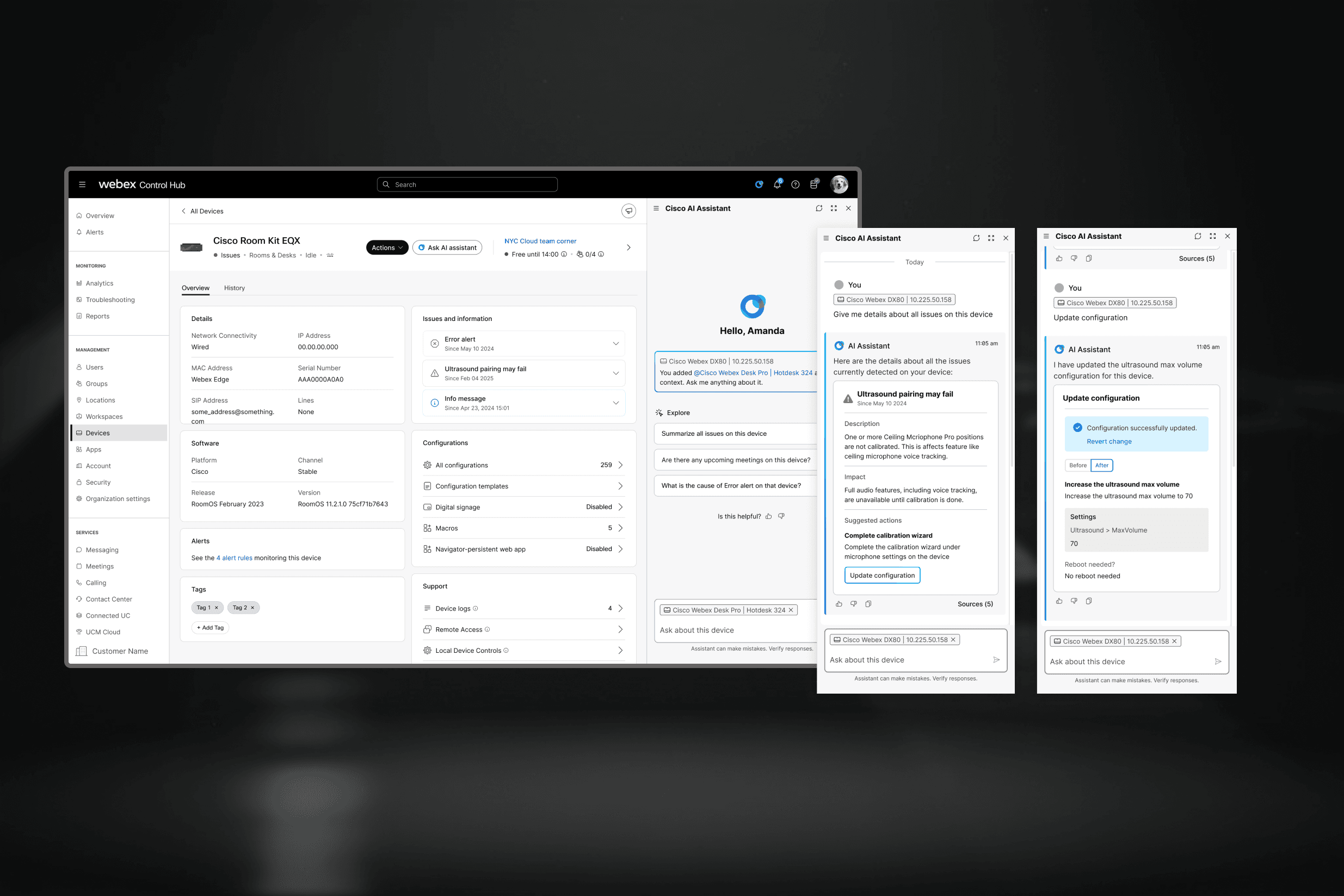
Smart Search
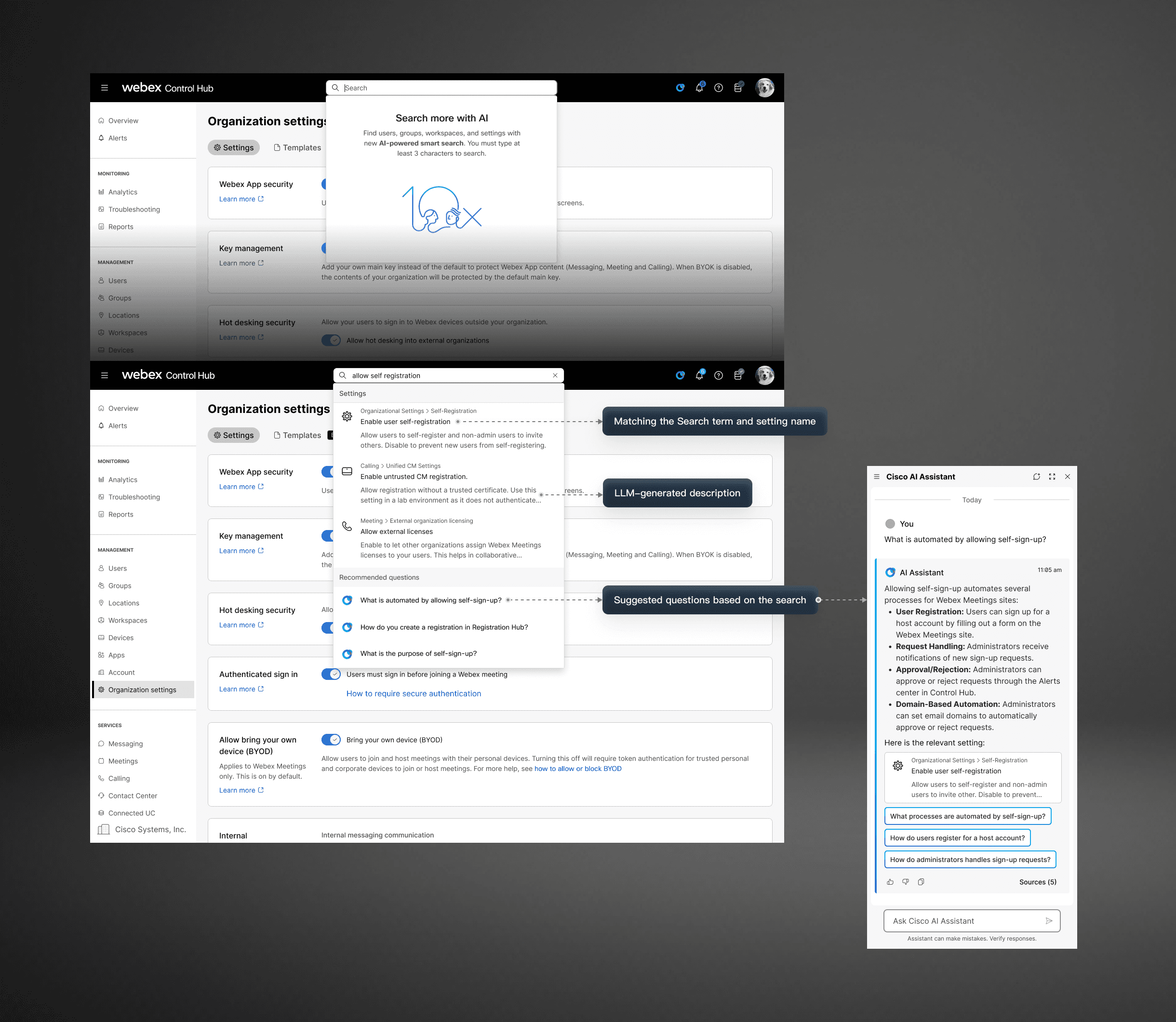
I redesigned search so it could act as an entry point into CHAI:
Users could search in natural language
The system matched to the right setting
CHAI added contextual explanation
Surfaced a suggested questions
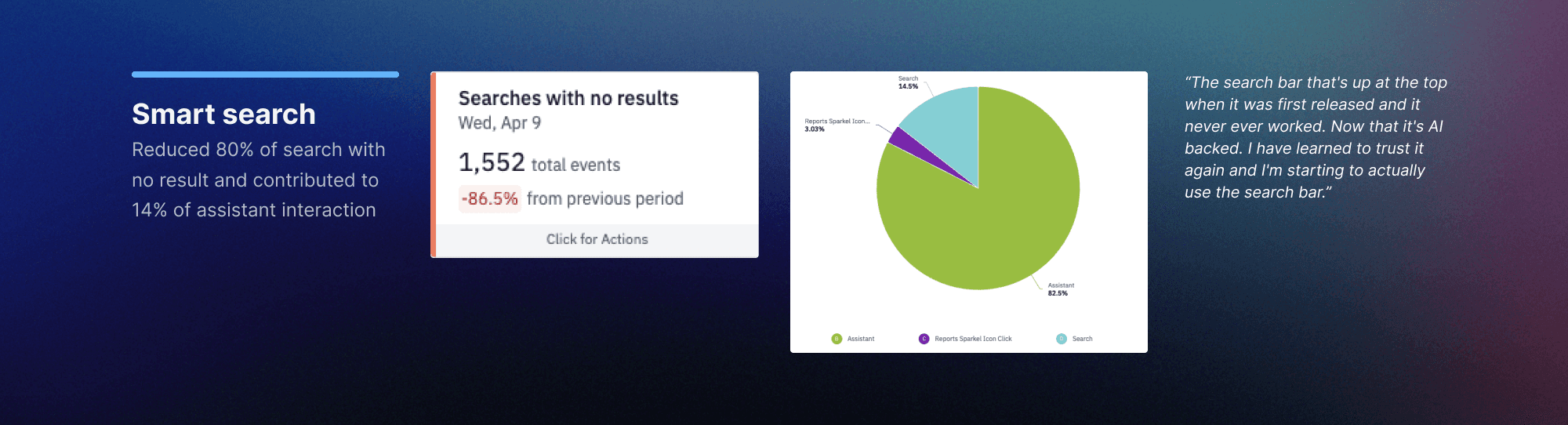
A “tunnel” affordance surfaced suggested follow‑up questions that opened CHAI for deeper help. The update slashed zero‑result searches by 80 % and now drives 14 % of total assistant entry points.
Designing for Understand
From answering questions to helping admins make sense of the system
Report Analysis
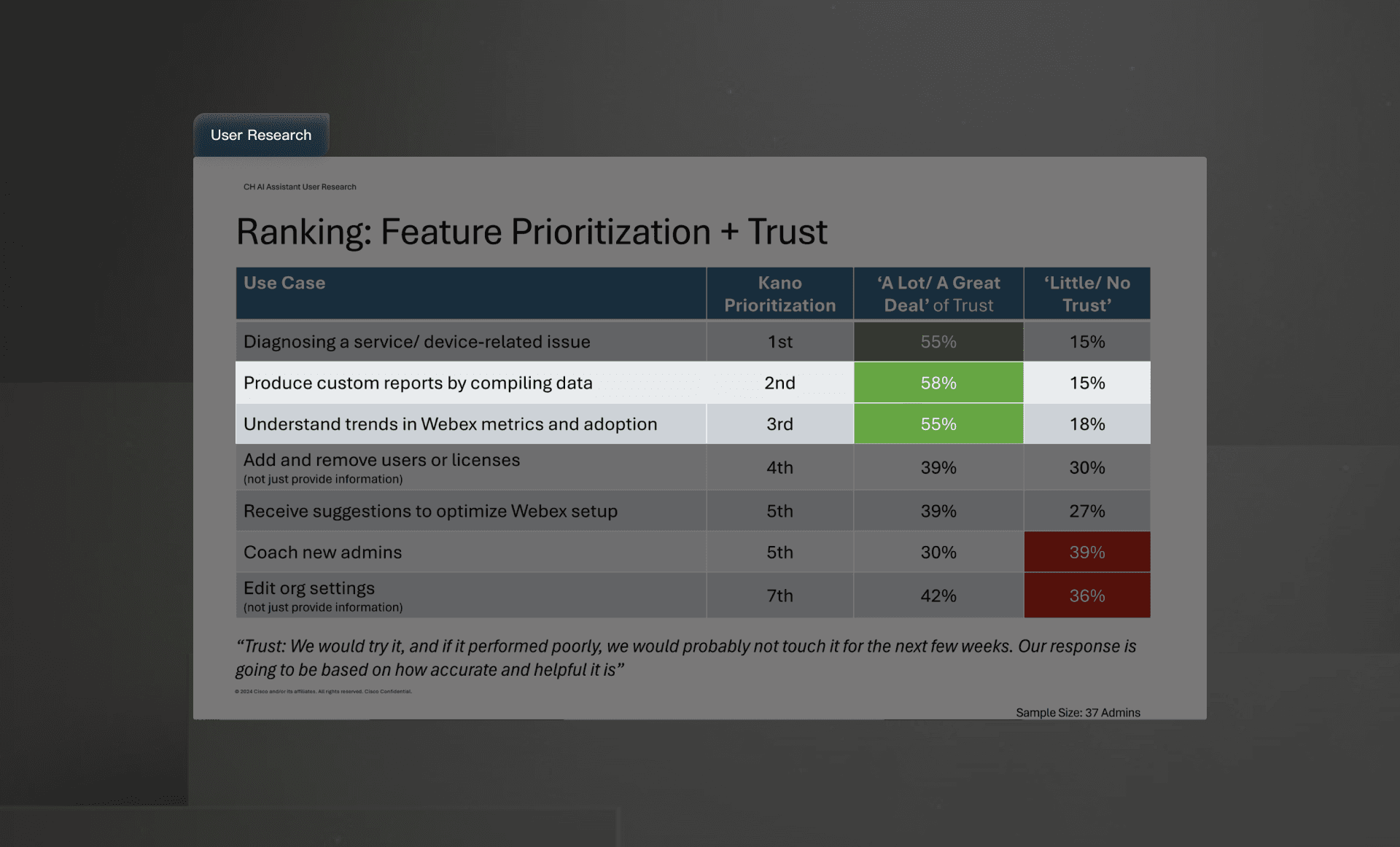
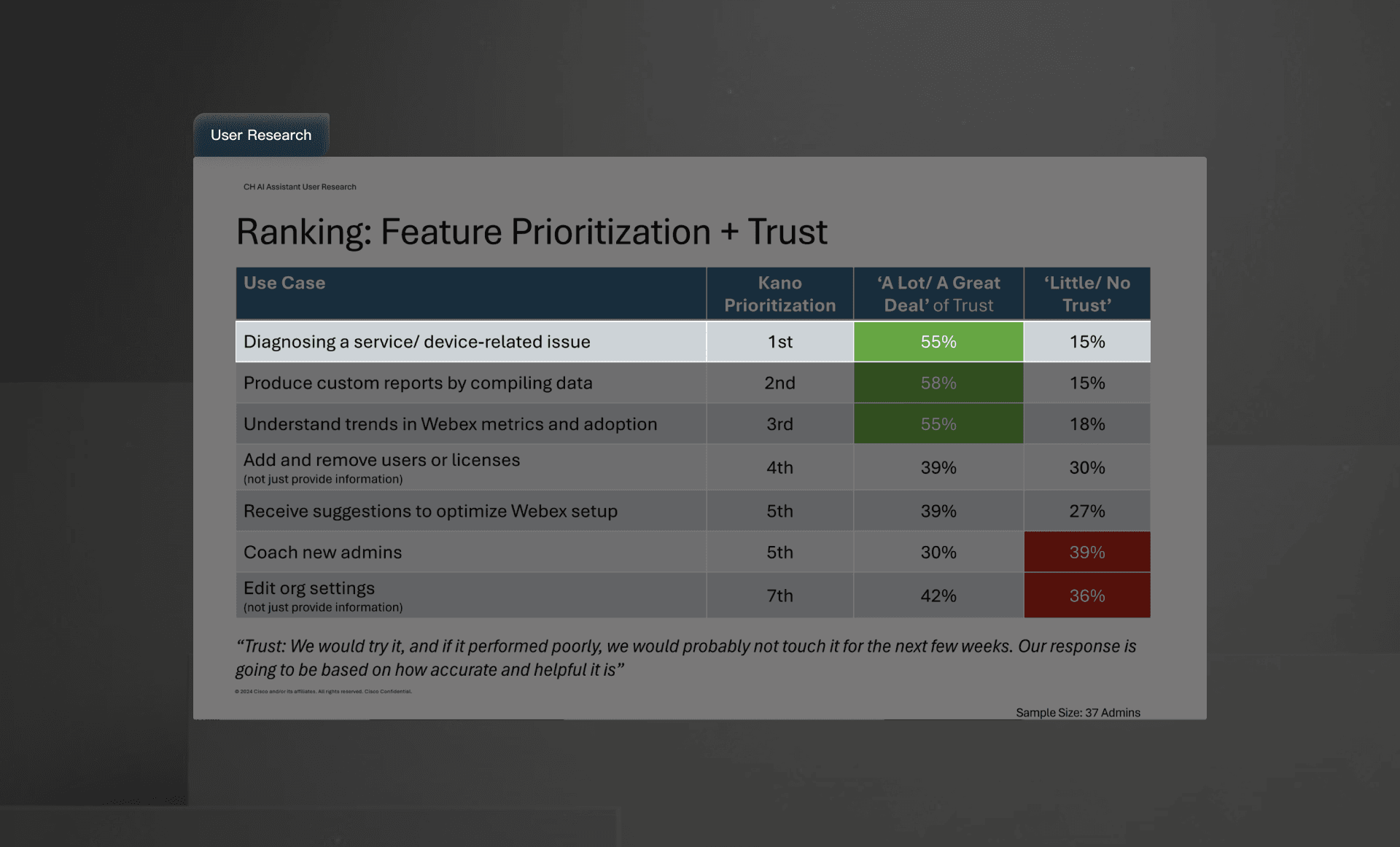
When developing the assitnat’s next capabilities, I worked with the researcher to do a survey to guide the feature prioritization
Research shows that “Instant insights” ranked #2 & #3 by the admins
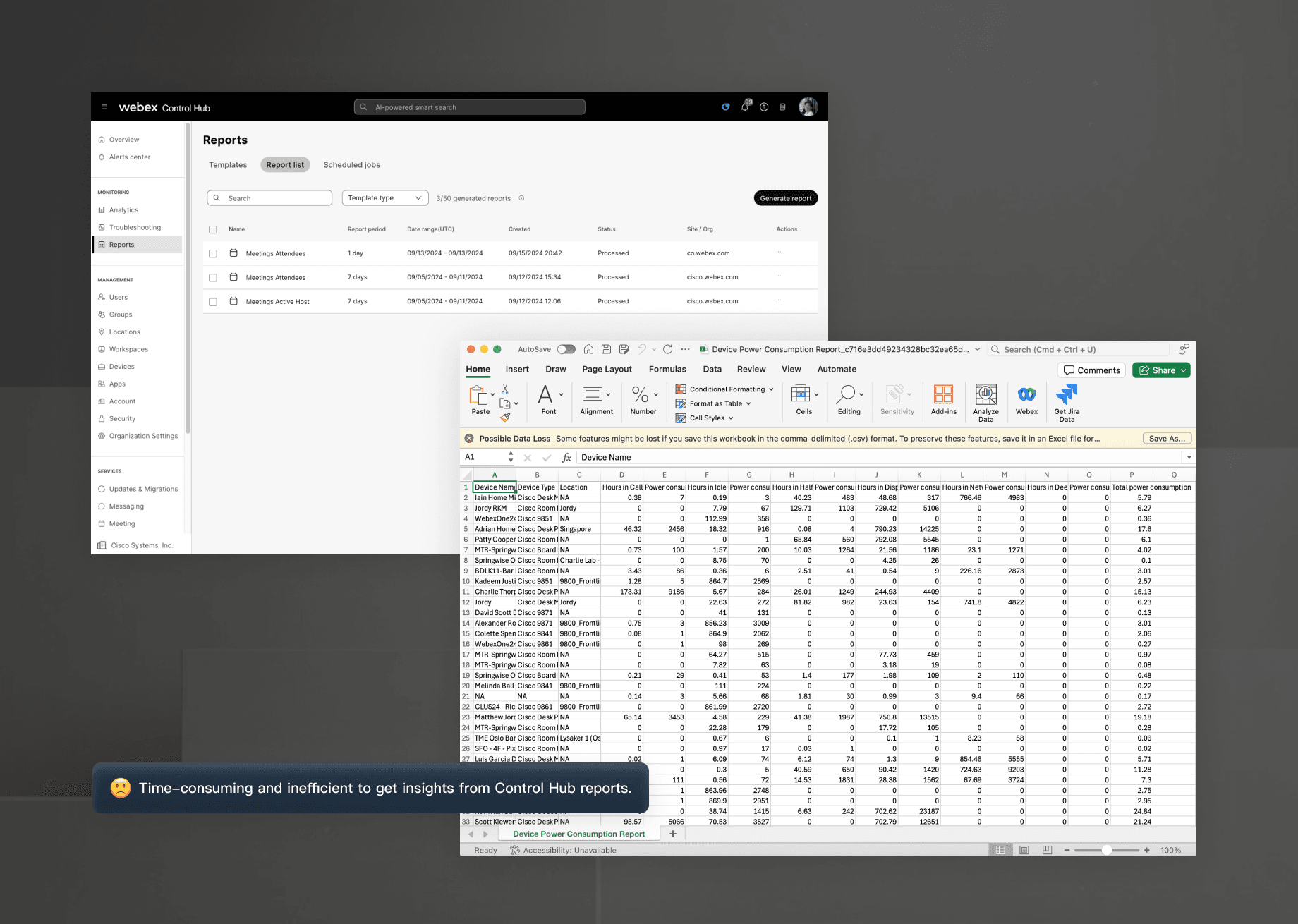
In Control Hub, we provide reports, but getting insights from the reports required downloading CSV files and manual analysis, which is time-consuming and inefficient.
Get insights from reports
Instead of asking admins to manually scan report data and infer the story themselves, CHAI helped query the data in the report and get the insights for the users.
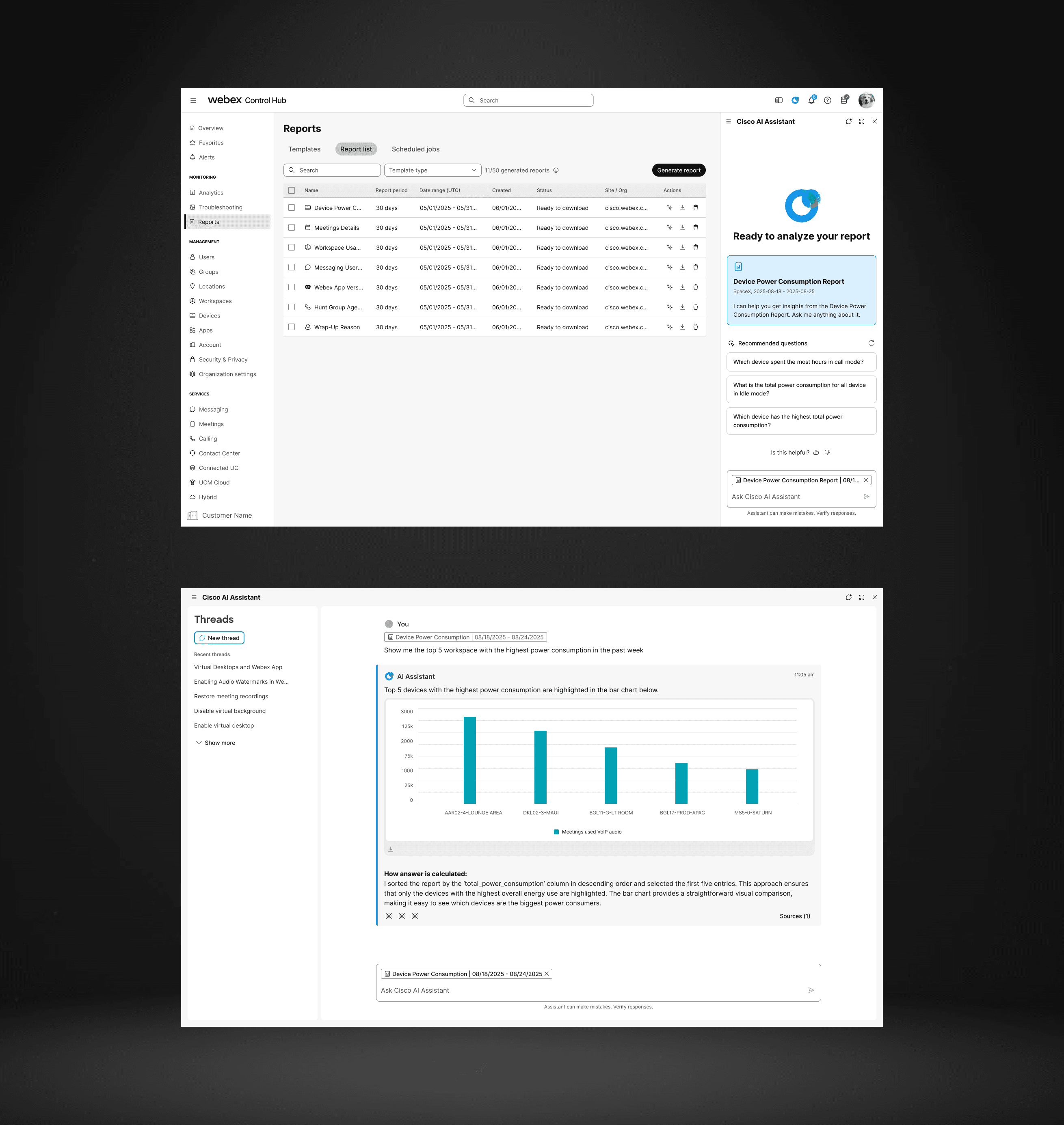
Insight-Ready Reports
To improve admin workflow efficiency—especially for large orgs where “fast is a feature”—bake CHAI directly into the report generation flow.
When an admin kicks off a report, they can toggle AI Insights or pre-set a custom prompt; CHAI then queries the underlying data while the report is building, so analysis is computed in the same job. When the report is ready, it arrives with insights

Analytics Explanation
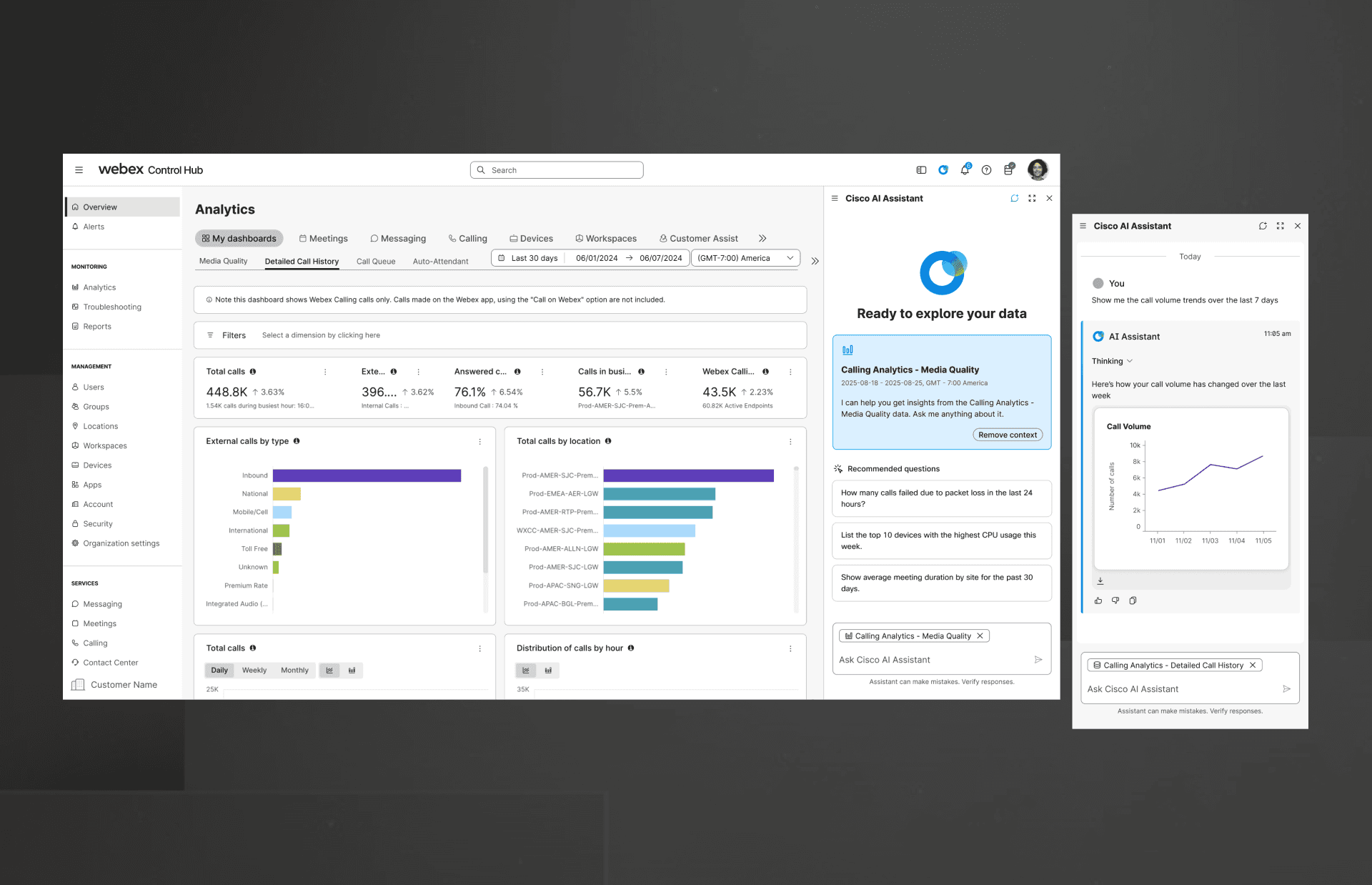
I applied the same pattern to live analytics.
Analytics dashboards are often dense by design. They provide depth, but not always clarity. CHAI added a layer of interpretation that translated dashboard signals into plain-language explanations, helping admins quickly understand what they were looking at before drilling deeper.
This made the experience more approachable without removing access to the underlying data.
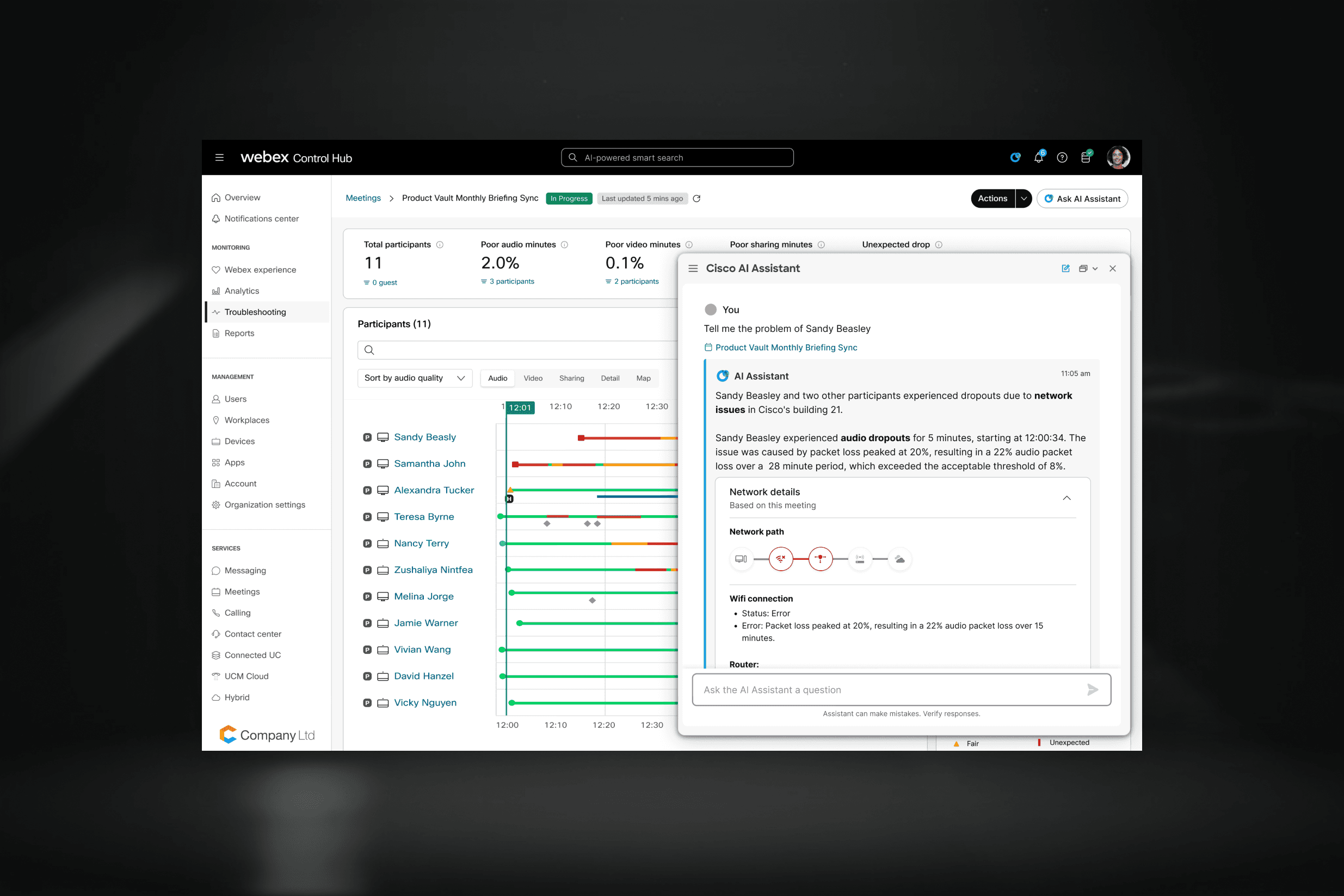
Troubleshooting
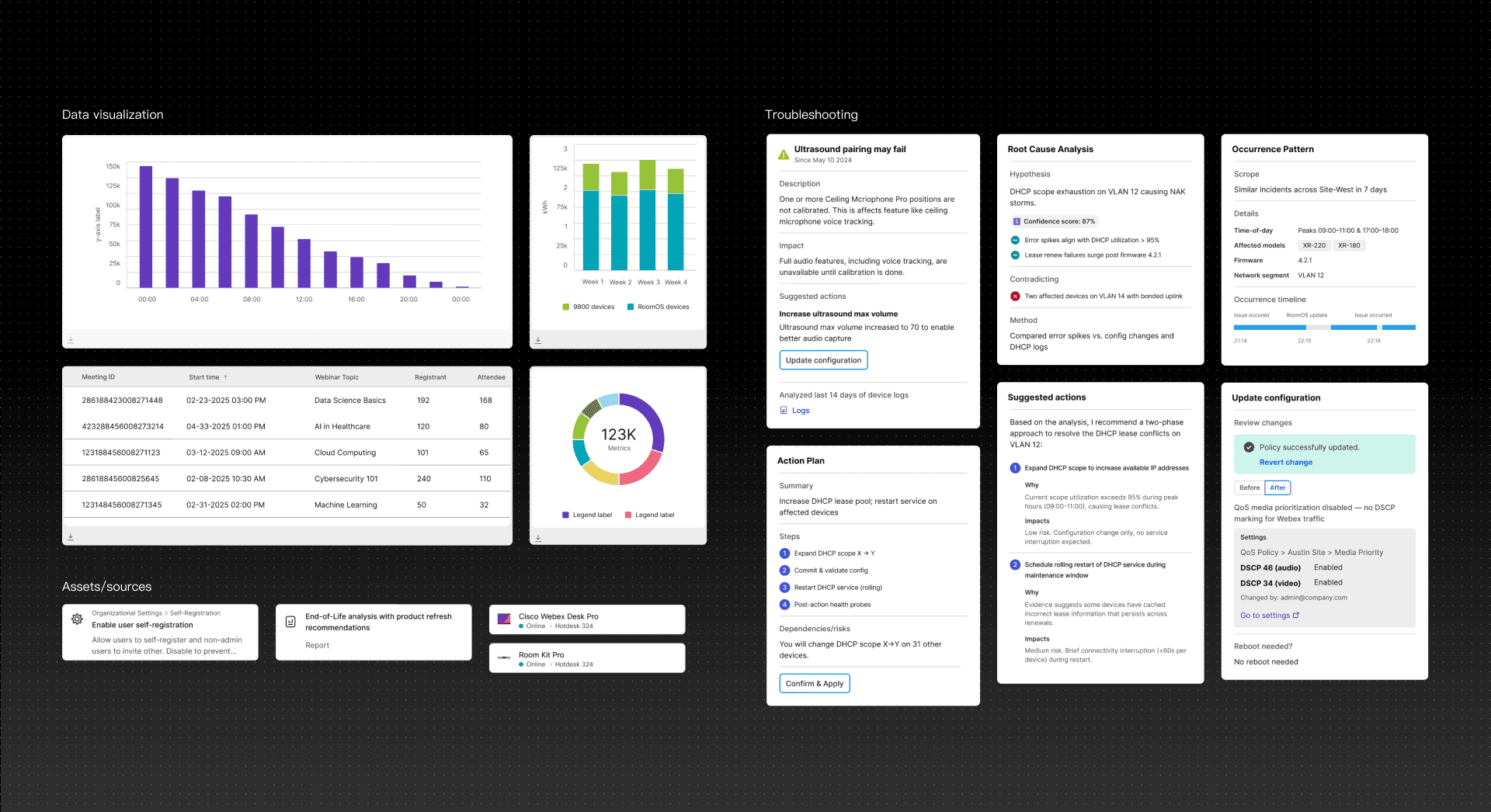
Research shows that admins expect AI help most when incidents strike, yet existing dashboards bury the signal in noise.
Meeting & Calling Troubleshooting
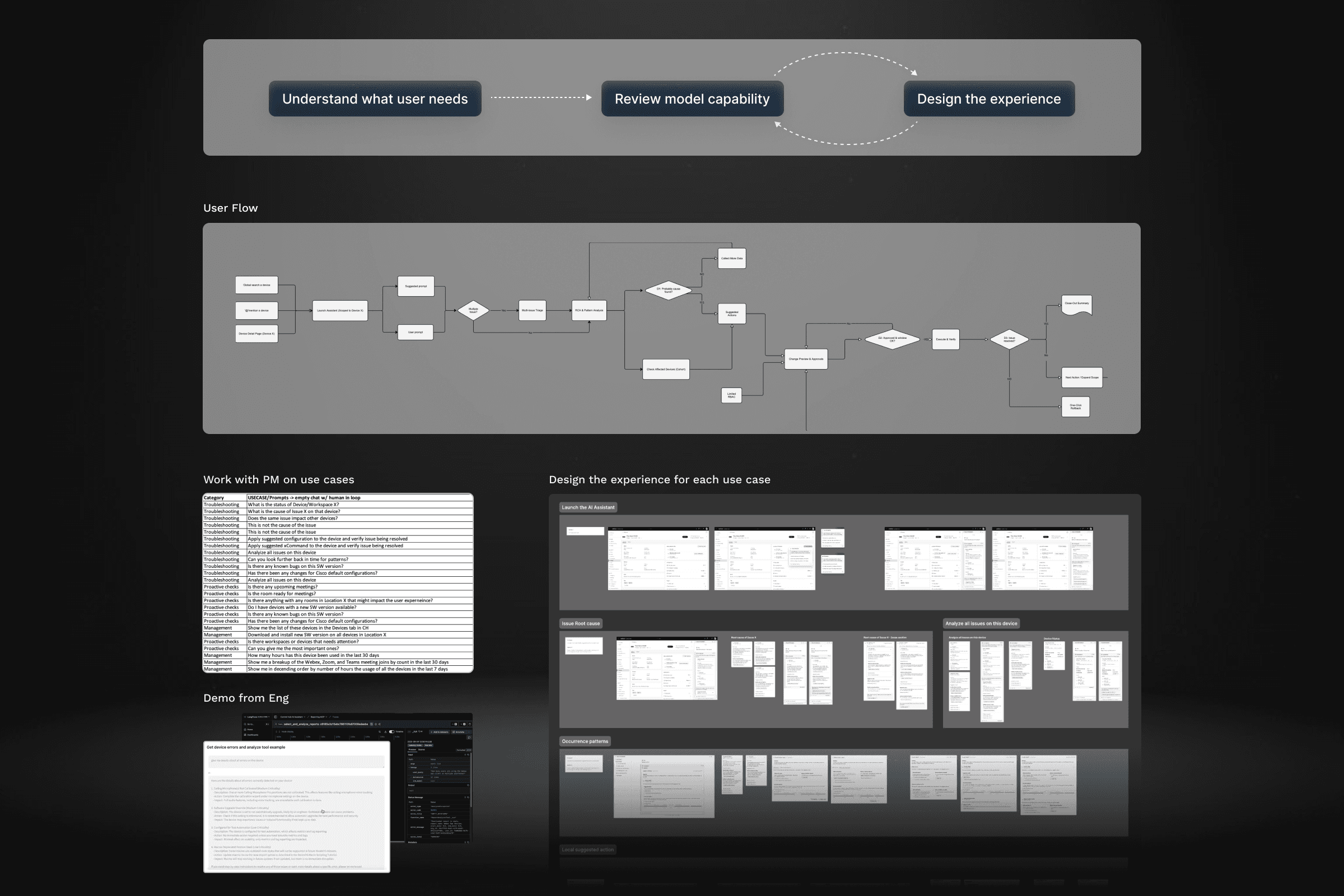
I am also working on the northstar vision of using AI Assistant to process complex data and troubleshoot meeting and calling.
Learning & Sharing
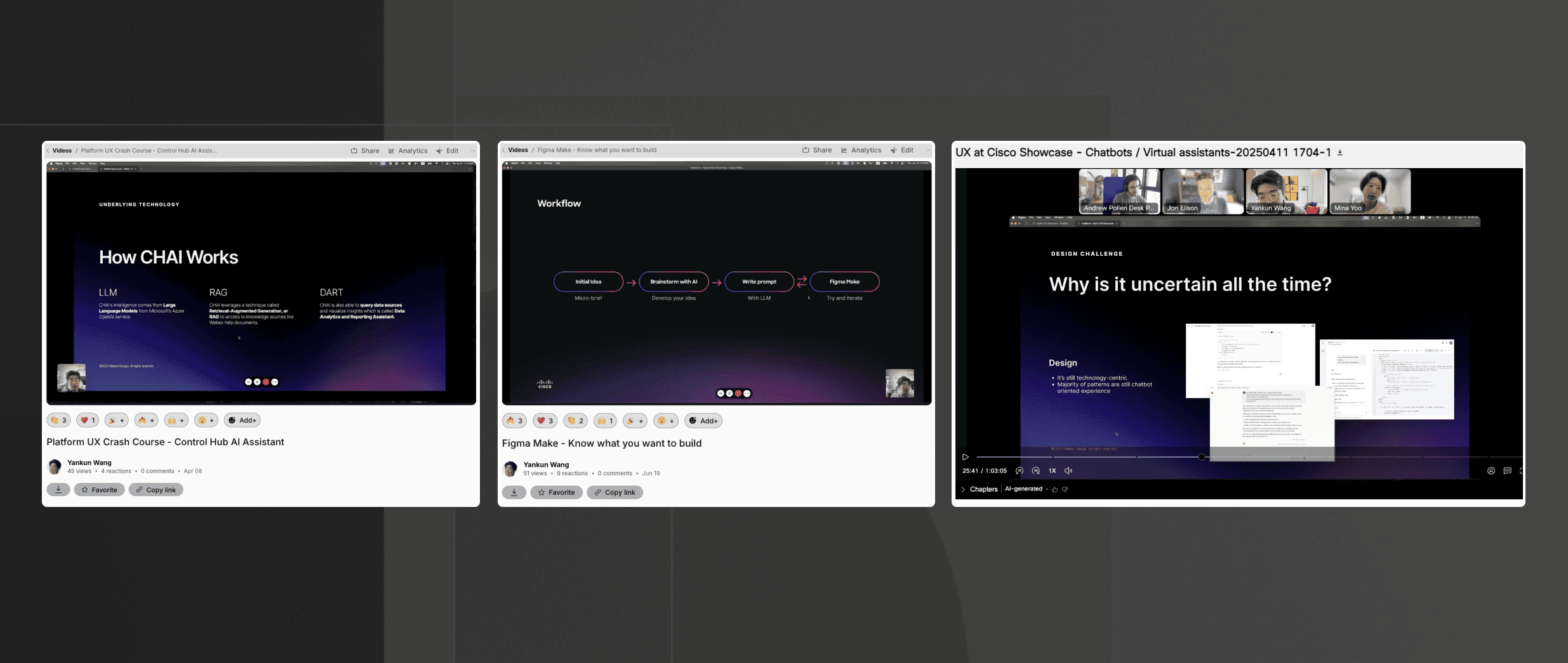
As the product designer working on the AI stuffs in the Control Hub team, sharing my knowledge designing AI and using AI in my design process also help me learn a lot.
Learning:
Embrace the ambiguity and keep Iteration.
Understand the technology and keep up with the trend
Design a system, not just component
Sharing: